Keeping store clusters accurate, shelf spaces balanced, and in-store execution tight shouldn’t require endless spreadsheets or messy email chains. This week’s release focuses on stripping the manual friction out of category management, from automated AI analysis down to single-click planogram approvals.
1. Eliminate Clustering Guesswork with AI Clustering
For category managers and space planners, grouping stores into meaningful clusters has traditionally been a time-consuming exercise. Standard mathematical algorithms crunch numbers efficiently, but they leave planners with a frustrating black box: Why were these specific 15 stores grouped together?
Without clear explanations, planners spend hours manually cross-referencing sales share, SKU performance, and store formats to justify groupings. Worse yet, selecting optimal cluster counts often relied on trial-and-error guesswork, risking operational inefficiencies or oversimplified strategies.
Introducing DotActiv’s AI Clustering
By incorporating intelligent analysis models, DotActiv now automatically calculates your optimal cluster counts and delivers plain-language narrative justifications for every single store grouping.
How It Drives Efficiency
- Clear, Descriptive Rationales: Automatically generates concise justifications for store groupings (e.g., “Stores with high premium coffee demand but low instant coffee sales share”), saving hours of manual data interpretation.
- Automated Cluster Count Determination: Removes guesswork by automatically identifying the target cluster count and limit based on your data set.
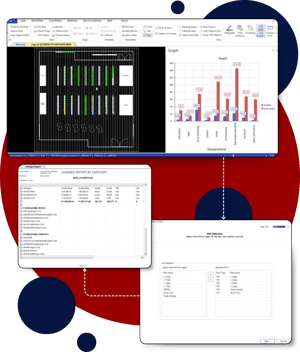
- Deeper Category Context: Effortlessly incorporates rich metrics like Profit per NOD, SKUs per NOD, and Category Sales Share of Store to pinpoint over- or under-performing categories in seconds.
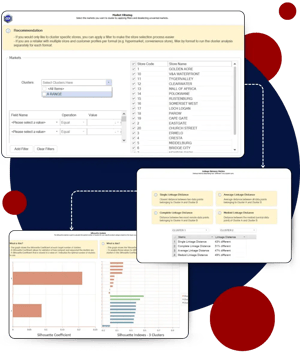
- Full Human Control: Integrated technical validation tools (Silhouette Index and Linkage Distance) give planners complete control to validate and refine recommendations before saving changes to the database.
How It Works in Practice
A senior space planner preparing a bi-annual category review for Coffee across 200 retail locations. Using DotActiv’s AI Clustering, the planner sets a 12-month historical period and enables Category Sales Share of Store alongside Profit per NOD.
Within seconds, the system calculates the optimal cluster count and reveals that 25 stores, previously grouped as “STANDARD”, is actually over-index on premium espresso pods while underperforming in instant coffee. Instead of spending two days building custom Excel pivot tables, the planner reads the clear narrative rationale, validates cluster separation via Silhouette Index, and adds the stores to the “PREMIUM” cluster.
Get Started with AI Clustering
- Existing Customers: Log into DotActiv and head to Clustering > Optimizer to try the new diagnostic tools, or check out our step-by-step PowerBase guide, AI-Optimized Store Clustering: Technical Capabilities and Operational Framework. Alternatively, book a demo with Customer Success.
- New to DotActiv?: Discover how DotActiv can streamline your clustering. Book a demo with a DotActiv Expert.
2. Fix Range Mismatches and Cut Planning Time in DotActiv
Managing category ranges has traditionally been a tedious guessing game. Category planners spend hours juggling fragmented spreadsheets and manually cross-referencing store cluster lists, only to discover range mismatches, duplicate ranges, and dormant SKUs eating up valuable shelf space after implementation.
Without visibility into whether a product was correctly ranged or actually physically fit on the shelf, correcting errors meant starting the tedious process all over again. This lag severely slowed down speed-to-market for new listings and drained strategic productivity.
Here’s a Smarter Way to Range
This feature was built to replace manual, spreadsheet-heavy checks with direct visual feedback. By linking your ranging data directly to your store planograms, you can make accurate range decisions faster and respond immediately to changing market demands.
How It Drives Efficiency
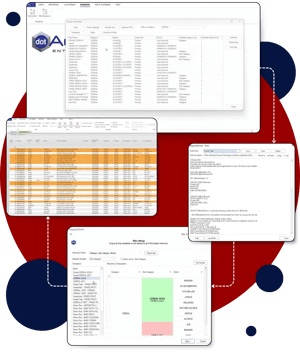
- Fixes Range Mismatches: Instantly shows you which products aren’t ranged consistently across stores in the same cluster.
- Stops Shelf Overcrowding: The Congestion Metric shows you what percentage of shelf space a range will take up at a single facing, so you know if it will physically fit on your smallest store planogram before you commit.
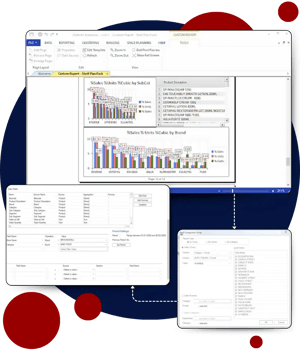
- Cleans Up SKUs: Built-in filters highlight Not Ranged products (items listed but not yet ranged) and Dormant SKUs (items with zero sales over six months) so you can add or remove them quickly.
- Interactive Editing: Turn POG On/Off with a click, use Floating Shelves to organise items by sales, and click any product in your grid to see exactly where it sits on the visual planogram.
- Cuts Out Duplicate Work: Automatically flags clusters that have identical planograms so you can merge them instead of updating both manually.
How It Works in Practice
A category manager notices their team is maintaining 12 different planograms for a single category. By running Range Similarity Analysis, the software detects that Clusters 3, 7, and 9 share a nearly identical product mix. With a couple of clicks, the planner merges the three clusters into one, instantly reducing ongoing planogram maintenance by 25%.
Get Started with Range Maintenance
- Existing Customers: Log into DotActiv and head to Ranging > Maintenance to try the new diagnostic tools, or check out our step-by-step PowerBase guide, Range Maintenance: Highlights & Analytical Tools. Alternatively, book a demo with Customer Success.
- New to DotActiv?: See how easy it is to keep your store ranges and shelf plans 100% in sync. Book a demo with a DotActiv Expert.
3. Automate Planogram Refreshes in DotActiv
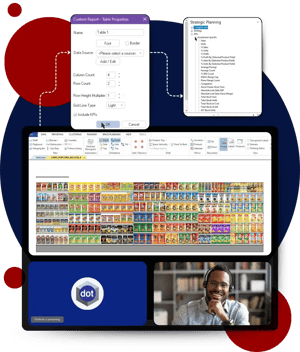
Keeping planograms aligned with rapidly shifting database ranges used to mean hours of repetitive, SKU-by-SKU adjustments. Every time a new product launched or a line was discontinued, category planners had to manually reconfigure product positions from scratch. Placing new items logically, like positioning a house brand directly next to a market leader while maintaining visual brand flow, required tedious calculations. Deleting old stock left awkward gaps on the planogram or forced a complete, time-consuming rebalance. Add the bottleneck of chasing down buyers for sign-offs via endless email chains, and simple range updates quickly derailed strategic planning time.
Quicker Planogram Refreshes with Luna
DotActiv’s enhanced Luna feature automates range updates by giving you granular control over product placement for new additions and seamless removal of discontinued lines. You can now set smart merchandising rules, like placing house brands next to market leaders, establishing clone SKUs, and locking protected products, while letting Luna automatically calculate optimal facings and Days of Supply. Integrated category user assignments also trigger dynamic approval workflows, ensuring every planogram refresh moves swiftly from configuration to sign-off.
How It Drives Efficiency
- Precision New Product Placement: Set merchandising flows, like placing house brands alongside market leaders or establishing clone SKUs, to eliminate manual positioning while keeping brand standards intact.
- Automated Discontinued Line Clearance: Instantly remove discontinued items and equalize Days of Supply (DOS) across designated fixtures to maintain optimal shelf capacity without awkward gaps.
- Selective Product Protection: Lock cross-merchandised, high-value, or contractually bound SKUs from facing changes during refreshes, retaining complete operational control over core lines.
- Dynamic Approval Workflows: Automatically route planogram reviews directly to designated category users based on change thresholds, eliminating email back-and-forth and accelerating sign-off times.
How It Works in Practice
Imagine a beverage planner prepping for a seasonal range refresh where ten low-performing SKUs are being phased out, and three new house-brand sodas are launching. Using Luna, the planner sets rules to clear the discontinued items and position the new house brands directly to the right of the market leader with a two-facing minimum. They lock top-selling promotional SKUs to prevent facing changes and apply clone SKU data to project demand. Luna instantly rebalances Days of Supply across affected fixtures and routes the finalized planogram straight to the assigned buyer for sign-off, turning hours of tedious setup into a quick, streamlined process.
Get Started with Luna
- Existing Customers: Log into DotActiv and head to Automation > Setup to get started with Luna, or check out our step-by-step PowerBase guide, Luna: Planogram Refresh Automation Configuration and Implementation. Alternatively, book a demo with Customer Success.
- New to DotActiv?: See how easy it is to set Luna up and see results. Book a demo with a DotActiv Expert.
How Range Maintenance and Luna work together:
Range Maintenance helps you clean up your product mix by eliminating dormant SKUs, resolving mismatches, and confirming physical shelf fit. Once your updated range is finalised, it feeds directly into Luna, which automatically places new items, clears old lines, rebalances Days of Supply, and routes the new planogram for approval without manual work.
4. Streamline Planogram Quality Control in DotActiv
Ever spent hours perfecting a planogram, only for the final handoff to derail into a nightmare of broken paths, mismatched file names, or silent import failures?
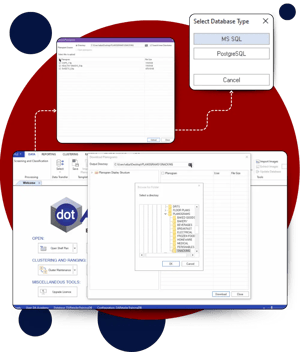
Before this feature, transitioning a planogram from the planning phase to the live environment was a tedious manual slog. Planners had to juggle local FLP files, navigate restrictive VPNs, and battle unstable server directories. Worst of all, tiny unseen errors, a missing image, a misspelled category name, or a misaligned shelf, would crash the import utility at the very end of the process, forcing you back to square one. It was slow, frustrating, and a constant threat to data integrity.
Introducing Publish Planogram
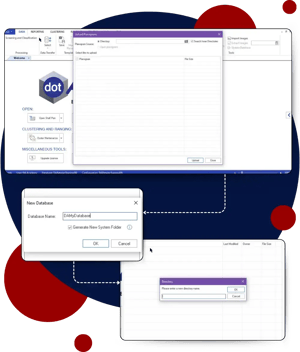
DotActiv’s new Publish Planogram function transforms space planning workflows by replacing manual file transfers with a direct, database-integrated push. Located in the Space Planning tab, this administrative tool runs 24 automated validation checks to identify administrative, structural, ranging, and physical spacing errors before publication. By providing built-in shortcuts and enabling the final publish button only when all critical errors are resolved, it guarantees a seamless and error-free transition to the live environment.
How It Drives Efficiency
- Direct Database Integration: Replaces tedious manual FLP file transfers and VPN hurdles with a single, direct push to live database storage.
- 24 Automated Validation Checks: Acts as a preemptive strike against import crashes by catching syntax, dimensional, and ranging errors before going live.
- One-Click Remediation: Speeds up troubleshooting using built-in shortcut buttons to tools like Range Maintenance and Cluster Maintenance.
- Traffic-Light Quality Control: Instantly distinguishes non-negotiable “Errors” (red) from flexible “Warnings” (yellow), guaranteeing data integrity.
How It Works in Practice
Imagine a category planner finalizing a promotional layout for the Snack aisle. After adding several new chips and dip SKUs, they click Publish Planogram.
The system runs its automated checks and flags a red Error for POG and Range Alignment: a featured dip SKU placed on the shelf isn’t listed in the database’s range for that store cluster. Rather than closing the planogram to navigate through separate menus, they click the built-in shortcut to jump directly into Range Planning. They quickly confirm the ranging status, update the record, and return. The Error clears, the Publish button turns blue, and the planogram is pushed to the database.
Get Started with Publish Planogram
- Existing Customers: Log into DotActiv and head to Space Planning > Publish Planogram to try the new tools, or check out our step-by-step PowerBase guide, Publish Planogram Functionality. Alternatively, book a demo with Customer Success.
- New to DotActiv?: See how easy it is to quality check and revolutionize the transition of planograms from the planning phase to the database. Book a demo with a DotActiv Expert.
5. Collaborate Easily on Planograms with Direct Edits in DotActiv
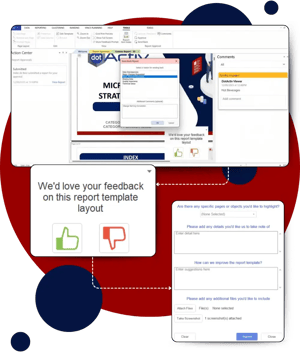
The traditional planogram review process has always been a bottleneck. For years, space planners and category managers have been stuck in an endless loop of static file sharing. Planners send out a PDF or PowerPoint, and category managers or suppliers reply with tedious, text-based feedback like, “Move product X to shelf Y.”
Trying to decipher these vague descriptions, track arbitrary changes across messy email threads, and manually apply them to your planograms isn’t just frustrating; it drains hours of valuable time and leaves room for costly merchandising errors. The review process needed a serious upgrade.
Say Hello to Visual Planogram Collaboration
Enter Direct Planogram Edits in the DotActiv Viewer, a dynamic feature that allows collaborators such as category managers or suppliers to make visual modifications, like adjusting facings or product positions, directly within the software instead of sending vague emails. To guarantee that every merchandising decision is data-driven, collaborators must provide a mandatory logical motivation for their edits, which planners can then instantly accept or reject with a single click. This hands-on, transparent approach completely eliminates the guesswork and accelerates your entire approval workflow.
How It Drives Efficiency
- Visual Planogram Edits: Replaces vague email descriptions with direct visual adjustments on the shelf, eliminating confusion and saving hours of back-and-forth communication.
- Mandatory Edit Motivations: Requires collaborators to logically justify every suggested change and attach supporting files, ensuring your merchandising strategy remains strictly data-driven and objective.
- One-Click Approvals: Centralizes the entire review process, allowing planners to instantly accept, reject, or provide feedback on suggested edits directly within the software.
- Multi-Supplier Management: Easily aggregates contributions from multiple collaborators into a single dropdown view, making complex category updates and range reviews easier than ever.
How It Works in Practice
Imagine you are executing a seasonal category review and need merchandising input from three major suppliers. Instead of juggling messy email threads and PDF markups, you initiate a collaboration directly in DotActiv.
Your suppliers log in and visually adjust their product facings on the digital shelf. Because the system requires a mandatory logical motivation, they type their justification and attach supporting documents right to the edit. As the planner, you get an alert in your Action Center, open the planogram, and use the dropdown menu to review each supplier’s suggestions. With a simple click, you accept or reject the changes, instantly snapping the approved products into place. A chaotic process that used to take weeks is now finalized in days.
Get Started with Planogram Collaborations using DotActiv Viewer
- Existing Customers: Check out our step-by-step PowerBase guide, Planogram Collaboration: Supplier Feedback And Direct Edit Functionality. Alternatively, book a demo with Customer Success.
- New to DotActiv?: Stop letting static PDFs and messy email threads slow down your merchandising strategy. Book a demo with a DotActiv Expert.
6. Automate In-Store Shelf Audits with TrueView Image Recognition
Retail teams spend hours crafting optimised planograms, only to lose revenue when store shelves don’t match the design. Manual audits are slow and unreliable, often leaving category managers in the dark about incorrect facings or misplaced items until sales drop. Relying on paper checklists or random photos makes it nearly impossible to maintain shelf compliance across multiple locations.
Shelf Audits At Your Fingertips
DotActiv TrueView Image Recognition (IR) is an automated image recognition feature designed to measure planogram compliance. By scanning in-store photos against your planograms, TrueView turns simple shelf photos into compliance reports.
How It Drives Efficiency
- Automated Shelf Audits: Field reps no longer need to check every single product SKU by hand against a printed paper planogram. TrueView automatically identifies products, overlays layout maps directly onto store photos, and flags misplaced items in seconds.
- Streamlined In-Store Execution: The mobile application prioritises tasks by urgency (Overdue, Due Soon) and guides merchandisers through a structured process that shortens in-store audit times.
- Dual Compliance Metrics: Automatically generate two performance metrics: a Product Existence Score (confirming items are on the shelf) and a Layout Score (evaluating spatial relationships and product positioning relative to neighbors).
- Continuous Machine Learning: Features an intuitive “Human-in-the-Loop” web dashboard that enables quick visual retrainings during setup, boosting system accuracy with every store audit.
How It Works in Practice
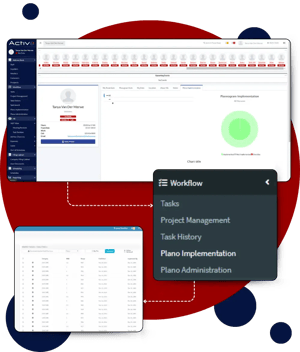
Space planners create data-driven shelves and upload them to TrueView to be implemented across all locations.
Once planogram implementation is complete, store merchandisers open the TrueView Mobile App, navigate to their assigned category task, and capture straight-on photos of each shelf segment.
TrueView scans the shelf and matches physical products directly against your planograms. Back at the head office, space planners can instantly review compliance scores to pinpoint low-performing stores, allowing them to resolve execution gaps before misalignments impact revenue.
Get Started with TrueView Image Recognition
- Existing Customers: Check out our step-by-step PowerBase guide, A Deep Dive into DotActiv’s Image Recognition Engine. Alternatively, book a demo with Customer Success.
- New to DotActiv?: Discover how TrueView can eliminate execution gaps and protect your retail bottom line. Book a demo with a DotActiv Expert.